AppClose: Co-Parent Essentials
- 4.3
- Rating
- 1.00M
- Installs
- Free
- Price

 Analysis by App-foxy
Co-parenting becomes much harder when important details are scattered across text messages, email threads, calendars, and memory. I found AppClose: Co-Parent Essentials most useful as a shared place for the practical side of raising a child across two homes. It is a free parenting app from AppClose, Inc, and its focus is not social networking or general family entertainment; it is communication, coordination, and keeping everyday arrangements easier to follow.
My overall impression is that it works best when both parents are willing to use one consistent system. It can reduce the familiar “I thought you knew” problem, but it cannot make an uncooperative conversation cooperative. That distinction matters. The app gives parents a clearer structure for information, yet the quality of the experience still depends on how calmly and consistently people use it.
It is available to everyone by its age rating and supports devices running Android 5.0 or later. The current version is 3.4.7.0, and its long presence since May 17, 2016 helps explain why it feels aimed at real co-parenting routines rather than a quick checklist. With over a million installs, a 4.4 average from around 29 thousand ratings, and about 1.8 thousand written reviews, it has also attracted a substantial user base.
You May Also Like

 Blood Strike: 2.5 Anniversary
Blood Strike’s Loadouts Turn Every Drop Into a Tactical Gamble
A close look at Blood Strike’s custom loadouts: how fast access to signature weapons reshapes its battle royale rhythm, rewards preparation, and narrows the gap between fights.

 Pandora - Music & Podcasts
Pandora’s Music Is Easy to Start, but Harder to Recover
Pandora’s strength is its low-effort path from a seed to a station. Its weak spot is how much confidence it asks you to place in connection, setup, and quiet recovery.

 8 Ball Pool
 Is Built on Rivalries, Rematches, and Routine
A close look at the rivalries, rematches, shared routines, and unanswered safety questions that turn a quick pool match into a persistent mobile community.

 Samsung Music
’s Quiet Strength Is Playing What You Already Own
Its reach comes less from spectacle than from dependable access to a personal library. That simplicity is both the app’s strongest retention engine and its ceiling.

 AccuWeather: Weather Radar
AccuWeather Review: A Quick, Clear Forecast for Everyday Decisions
For everyday plans, the best forecast is the one you can understand quickly. AccuWeather makes rain timing, radar, and local conditions easy to act on, with a few trade-offs.

 Hill Climb Racing
Why Hill Climb Racing Still Turns Crashes Into One More Run
A tiny car, a bumpy hill and one more upgrade: Hill Climb Racing keeps resurfacing because its simple chaos makes every near-miss feel personal.
More From Our News Desk



How clearly the app presents co-parenting information
I find the app’s clearest organizing idea is that co-parenting information should have a place beyond a fast-moving message thread. This section looks at how separating schedules, conversations, and practical records can make details easier to locate later, while also considering the effort involved in learning a shared routine. The next section turns to how that structure feels for people with different communication and access needs.
Readability and navigation
The strongest part of the experience is the attempt to separate different kinds of family information instead of forcing everything into one endless conversation. A schedule, a message about school, and a record of an expense do not have the same purpose. Keeping those subjects in their own context makes it easier for me to return later and understand what was agreed, rather than searching through a long chat history.
That organization is especially valuable during a rushed weekday. Imagine a child has a dentist appointment after school, needs a sports uniform, and is changing homes that evening. In an ordinary messaging app, I might send several disconnected notes and then search for them later. With a co-parenting-focused workspace, I can approach the situation as a set of related tasks: check the calendar, review the relevant conversation, and confirm the handoff details. The benefit is not flashy; it is the reduction of small misunderstandings.
I also like that the app is built around shared parenting rather than expecting users to adapt a generic calendar or notes tool. A normal calendar can show an event, but it does not naturally explain who needs to respond, what was discussed, or why a change was made. A group chat can handle quick messages, but important information tends to disappear as newer messages arrive. AppClose sits between those options by giving co-parents a more deliberate place for ongoing arrangements.
For readability, the main advantage is context. When information is grouped by purpose, I do not have to remember whether a detail was mentioned in a text, buried in an email, or written on paper. That can help parents who are tired, distracted, or managing several children at once. It may also make later conversations less dependent on one person’s memory.
There is a trade-off, though. A structured app asks both people to learn its habits. Someone who only wants to send a quick message may find a dedicated co-parenting workflow slower than opening a familiar messenger. The app becomes clearer over time, but the first step is agreeing that it will be the shared source of truth. If one parent keeps using texts while the other records everything in the app, the clarity advantage quickly weakens.
Useful routines for different reading needs
I would recommend setting up a simple routine rather than trying to record every detail from the first day. Start with recurring arrangements, school-related dates, medical appointments, and handoff information. This creates a useful visual and organizational foundation without turning the app into another chore. Once that habit is established, more occasional items, such as reimbursements or changes to plans, are easier to place where they belong.
Parents who find dense screens tiring may benefit from checking one area at a time instead of opening the app with a vague goal such as “catch up.” Looking only at upcoming schedule items, then messages, then financial matters makes the review more manageable. I would also keep messages short and use a clear subject or opening sentence when a matter needs action. That is not a special setting, but it makes the shared record easier for anyone to scan.
The app’s value for readability is therefore partly a design benefit and partly a behavior benefit. It provides dedicated areas for co-parenting work, but parents still need to write clearly. A long emotional message remains difficult to process even when it is stored neatly. I found the best results came from treating each entry as something another busy adult should understand quickly.
Motor, sensory, and communication considerations
I think the written, asynchronous approach can make coordination easier for parents who cannot answer a call at the same moment or who prefer time to process a message. It can also introduce friction when reading, typing, or navigating a phone takes extra effort, so I would judge the experience through the tasks that matter most rather than assume one setup works for everyone. The following section considers how those needs play out across changing household routines.
Reducing repeated typing and unnecessary movement
Co-parenting apps can be helpful for people who find repeated typing, rapid switching, or constant phone calls demanding. A shared record means I do not need to explain the same appointment several times. I can place the essential information once and return to it later. That can reduce the physical effort of composing duplicate messages and the mental effort of reconstructing a conversation.
It is also useful for parents who cannot reliably answer a call during work, school pickup, treatment appointments, or a noisy public setting. A written update can be checked when the person has enough attention to read it. This asynchronous quality is one of the app’s most practical strengths. It does not require both parents to be available at the same moment for every ordinary decision.
For someone with limited hand mobility, however, the app is not automatically effortless. Entering schedules, correcting dates, and writing detailed explanations still requires interaction with a phone. I would prepare recurring information carefully and avoid unnecessary back-and-forth. A concise message with the proposed change, the reason, and the requested response is easier to create and easier for the other parent to handle.
Parents who use alternative input methods should judge the app on their own device and operating system rather than assuming that every screen will behave identically. I would test the most important tasks first: opening a conversation, reading a schedule item, adding a change, and reviewing a financial record. Those are the actions that determine whether the app fits a person’s daily abilities. The general idea is accessible in spirit, but individual comfort depends on the phone, settings, and interaction method.
Supporting different sensory and communication contexts
The written format can suit parents who process information better visually or who prefer time to think before responding. It also creates a more stable reference than a phone call, where details can be forgotten or interpreted differently afterward. For a parent who becomes overwhelmed by spontaneous conversations, being able to compose a practical response at a calmer moment may make communication more manageable.
At the same time, written communication can create its own barrier. A parent with reading fatigue, language-processing difficulties, or limited confidence with long messages may struggle if every issue becomes a paragraph. I would keep entries focused, use plain language, and put the action needed near the beginning. The app can organize information, but it cannot automatically rewrite a complicated or emotionally loaded message into something easy to understand.
Sensory comfort also depends on the phone environment. Notifications, screen brightness, and sound behavior are influenced by device settings, so I would adjust those outside the app if alerts become distracting. A quiet notification pattern may work better for someone sensitive to interruptions, while a parent who misses visual alerts may need a different reminder habit. The important point is that AppClose can support asynchronous coordination, but it should be combined with personal device settings that make checking information comfortable.
One less obvious benefit is that the app can help separate urgent matters from background information when parents use it deliberately. Not every update deserves an immediate response. A routine note about supplies can wait, while a same-day pickup change needs attention. I would state urgency directly instead of expecting the other person to infer it from the notification. That small habit improves access for parents who cannot monitor the phone continuously.
Situational access in real family life
I see the app’s practical value most clearly when parents are coordinating around separate work hours, school runs, and handoffs. A shared reference can reduce reliance on one parent to repeat details, but family information should still be shared thoughtfully and only with people who need it. The next section weighs that benefit against the situations in which a simpler or more suitable arrangement may serve a family better.
When parents live in different routines
The app is particularly suitable when two households have different working hours, school runs, or transportation responsibilities. A shared schedule gives both parents a place to check the plan without requiring one person to act as the permanent information manager. This is important for fairness as well as convenience: the parent who usually handles appointments should not also have to repeat every detail manually.
Consider a week in which one parent works early shifts and the other handles afternoon activities. Instead of relying on a live conversation, the early-shift parent can review the day’s arrangements later, while the other parent can record a change when it becomes known. That does not eliminate the need to communicate, but it makes the communication less dependent on matching availability.
It can also help when relatives or other approved caregivers need practical information, although I would be cautious about sharing anything beyond what a person genuinely needs. Co-parenting information often includes sensitive family details. The app should be treated as a focused coordination space, not a place to copy every personal conversation or distribute access casually.
Managing transitions and records
Handoffs are a good example of where structure matters. A transition can involve a time, a location, medication instructions, clothing, school materials, and a last-minute change. If those points are spread across several channels, one missed message can create stress for everyone. Recording the arrangement in one place makes it easier to check what was expected before leaving home.
Another useful workflow is to review the upcoming days together with the child’s practical needs. I would look ahead before the weekend rather than waiting until the handoff itself. That gives both parents a chance to notice conflicts, clarify transport, and avoid using the child as the messenger. The app cannot settle disagreements, but it can make the question more specific: which event conflicts, who is available, and what alternative is being proposed?
Financial coordination is another area where a dedicated parenting tool can be more useful than ordinary chat. A message saying “I paid for this” can disappear among unrelated updates. A properly organized record is easier to revisit when a parent needs to understand what an expense was connected to and whether a follow-up is still needed. I would attach or enter only the information necessary for the parenting matter, keeping personal financial details out of casual messages.
The trade-off is that records can feel formal. Some families may welcome that neutrality, especially when conversations often become disputed. Others may find it uncomfortable if every small decision feels documented. My advice is to use the structure for clarity, not as a weapon. A record is most helpful when it describes the arrangement and the child’s needs without adding accusations or commentary.
Remaining barriers and situations where another option may be better
I would treat the main trade-off as the work of getting both parents to use the same system consistently, not simply the time spent learning an app. A shared tool can become one more place to check if it duplicates messages elsewhere, and formal records may feel uncomfortable for families who prefer informal coordination. The next section considers when those barriers outweigh the organizational benefit and another option may fit better.
Shared adoption is the real hurdle
The biggest limitation is not a missing button; it is the requirement that both parents participate. If one person refuses to install the app, ignores updates, or continues to make changes only through scattered messages, the system cannot provide a complete picture. In that situation, a simpler method that both people will actually use may be more effective, even if it has fewer parenting-specific tools.
The app is also not the right choice for every family. Parents who already communicate smoothly and only need a basic shared calendar may find a general calendar sufficient. A simple notes system may be better for two people who rarely need formal records and dislike extra structure. Conversely, families dealing with highly sensitive legal or safety circumstances should choose communication tools and professional guidance based on their specific situation rather than assuming that any co-parenting app solves those concerns.
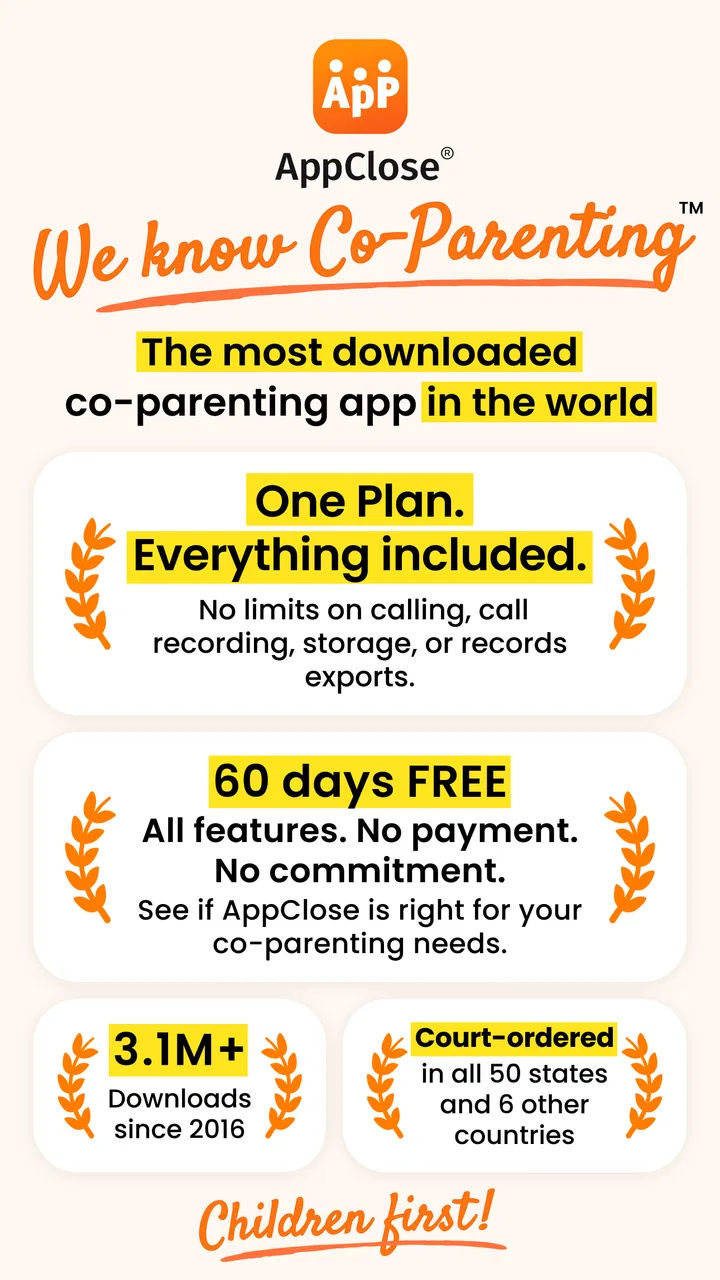
Cost is worth considering as well. The app is free to download and use as a parenting service, but it includes in-app purchases ranging from $8.99 to $98.99 per item. I would begin with the free experience and identify which parts of the workflow genuinely help before paying for anything. The presence of optional purchases does not automatically make the app poor value, but families should understand that “free” does not mean every possible function is necessarily included without cost.
There can also be an emotional barrier. A parent may open the app expecting a neutral planning tool and instead feel reminded of conflict. I found it helps to define a narrow purpose: schedules, child-related communication, expenses, and practical decisions. If a conversation starts moving into old arguments, returning to the specific parenting question keeps the tool useful. The app can support boundaries, but the users still have to maintain them.
Accessibility should be assessed personally rather than assumed from the category or the age rating. The app is suitable for everyone in its content classification, but that does not guarantee that every person will find every interaction comfortable. I would check text readability, touch accuracy, notification behavior, and the effort required for the tasks I perform most often. A parent with visual, motor, cognitive, or sensory needs may also prefer to use device-level accessibility settings alongside the app.
My inclusive verdict for co-parents
After using it as a practical coordination space, I see AppClose as a strong option for parents who need more order than text messages provide but do not want to manage a complicated family administration system. Its best quality is the way it gives separate parenting matters a shared home. That can make schedules, conversations, transitions, and expenses easier to revisit and less dependent on memory.
I especially recommend it for families with different work patterns, regular handoffs, recurring appointments, or a history of details getting lost between channels. It can also suit people who communicate better in writing or need to respond on their own schedule. The app’s focused design is more relevant to these situations than a generic calendar, because co-parenting involves context and follow-through, not only dates.
I would be more cautious about recommending it to someone who wants instant, informal messaging with no setup, or to a family where only one parent is willing to use a shared system. In those cases, the app may feel like extra administration. I would also avoid treating it as a substitute for legal advice, mediation, or safety planning when those are needed. Its role is practical coordination.
My most useful tip is to agree on a small set of rules before relying on it: where schedule changes belong, how far ahead routine updates should be posted, what counts as urgent, and how expenses should be recorded. Those rules make the app easier to read for people with different attention, communication, and sensory needs. They also prevent the platform from becoming another place where information is duplicated.
AppClose, Inc has built an app that feels most valuable when co-parents use it calmly and consistently. It is free to start, available on older Android devices from version 5.0 onward, and its mature presence in the parenting category gives it credibility with a broad user community. My final view is positive but practical: this is a coordination tool, not a relationship fixer. If both parents want one clearer way to manage the child’s day-to-day life, it is worth trying. If they will not share the habit, a simpler tool used reliably will probably serve them better.
FAQs for AppClose: Co-Parent Essentials
01What is AppClose: Co-Parent Essentials?
AppClose: Co-Parent Essentials is a comprehensive app designed to help co-parents manage their parenting responsibilities efficiently. It offers features like shared calendars, expense tracking, and secure messaging to streamline communication and organization between co-parents. The app aims to reduce conflicts and ensure both parties are on the same page regarding their child's needs.
02Is AppClose: Co-Parent Essentials secure?
Yes, AppClose emphasizes user security by implementing encryption for messages and data. This ensures that all communications and sensitive information shared within the app remain private and protected. Users can confidently manage their co-parenting tasks without worrying about unauthorized access or data breaches.
03Can AppClose be used for shared expenses and reimbursements?
Absolutely. AppClose includes a robust feature for tracking shared expenses and reimbursements. Users can easily log expenses, upload receipts, and send reimbursement requests to their co-parent. This feature helps eliminate disputes over financial matters by keeping everything transparent and organized.
04Does the app offer a shared calendar feature?
Yes, AppClose provides a shared calendar feature that allows co-parents to manage their child's schedule seamlessly. The calendar can be used to track important events, appointments, and custody arrangements, ensuring both parents are informed and coordinated. This feature helps avoid scheduling conflicts and miscommunications.
05Is AppClose free to use?
AppClose is free to download and use, with many essential features available at no cost. However, there may be optional in-app purchases or premium features for advanced functionalities. Users can choose to upgrade based on their specific needs and preferences, making it a flexible solution for various co-parenting arrangements.
Pros
- User-friendly interface enhances navigation.
- Includes shared calendar for scheduling.
- Secure messaging keeps communication private.
- Expense tracking simplifies financial management.
- Free to use with no hidden costs.
Cons
- No desktop version available.
- Limited customization for notifications.
- Requires both parents to use the app.
- Occasional syncing issues with calendars.
- Lacks integration with external apps.

AppClose: Co-Parent Essentials
Gallery